In most cases, the AI creates the feature exactly as you intended.
But if a request is interpreted differently, needs refinement or modifies data, you can activate Sandbox Mode to test the new feature safely — without touching your production data.
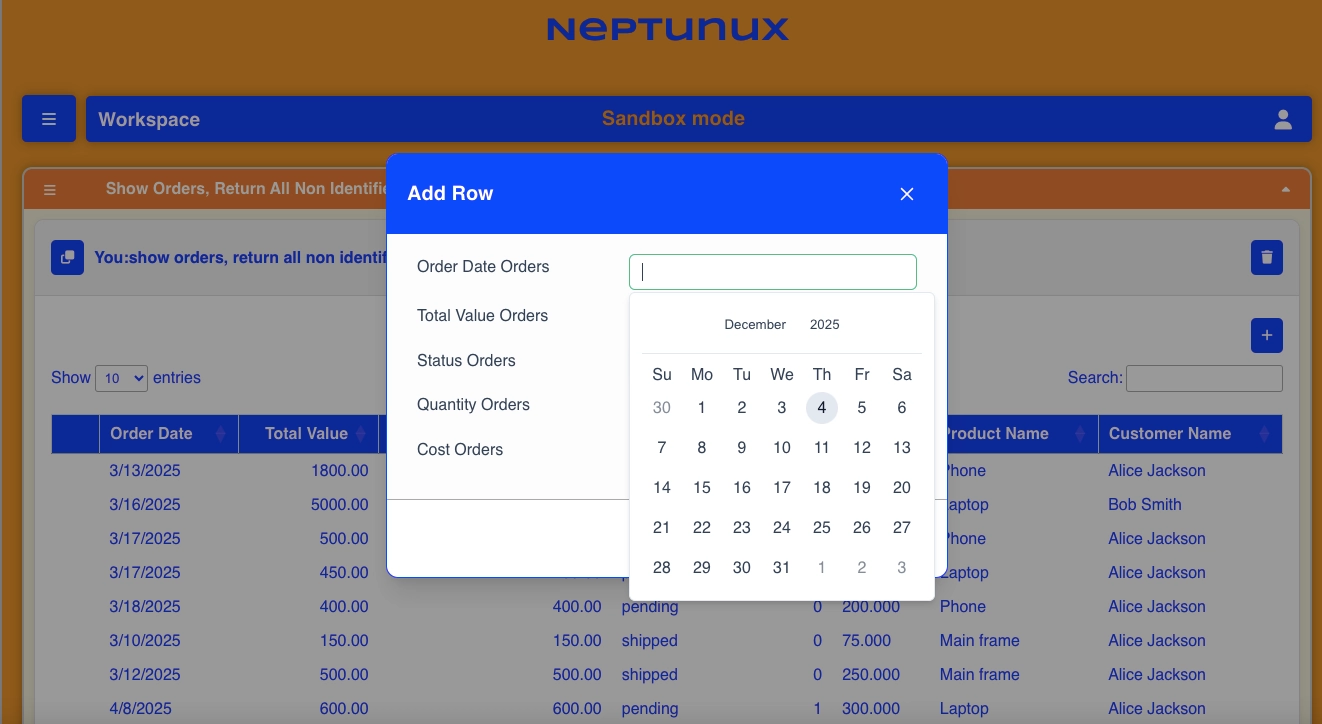
Example: Testing a New Feature Safely
To understand where Sandbox Mode is most useful, imagine this scenario:
AI has already added customers, customer credits, products, inventory, and orders to the system.
Now the wholesaler wants to add a new rule:
When placing an order, the system should
- check that the customer has enough credit,
- confirm that the required products are available in inventory, and
- if both are valid, automatically place the order and reduce the inventory and credit accordingly.
AI designs feature, but before applying this new logic to production data, the user can activate Sandbox Mode.
This allows them to test how the feature behaves — verify calculations, data updates, and workflow logic — without affecting real customers or inventory.
Once the behavior is confirmed, the feature can be safely moved to production with full confidence.
Role-Based Control
User roles define who can create and edit features.
You can safely give access to the entire organization with controlled edit and read-only permissions.
This ensures that features are created as intended, by authorized users only — while your data stays secure and untampered.